iDrive
Your Automatic ATO Logbook
iDrive automatically catches every trip, classifies it automatically, and generates ATO-ready reports—effortless, hands-free, smart.
Your travel data is always private & encrypted.
Key Features
Everything you need to track your trips easily and accurately. Powerful features designed for accuracy and simplicity.
Automatic Trip Detection
Detects when you start and stop driving automatically. Ensures no trips are missed. Manual stop option available if needed.
Never Miss a Trip
Ensures every trip is tracked without gaps, giving you complete and accurate logs for your records.
Smart Classification
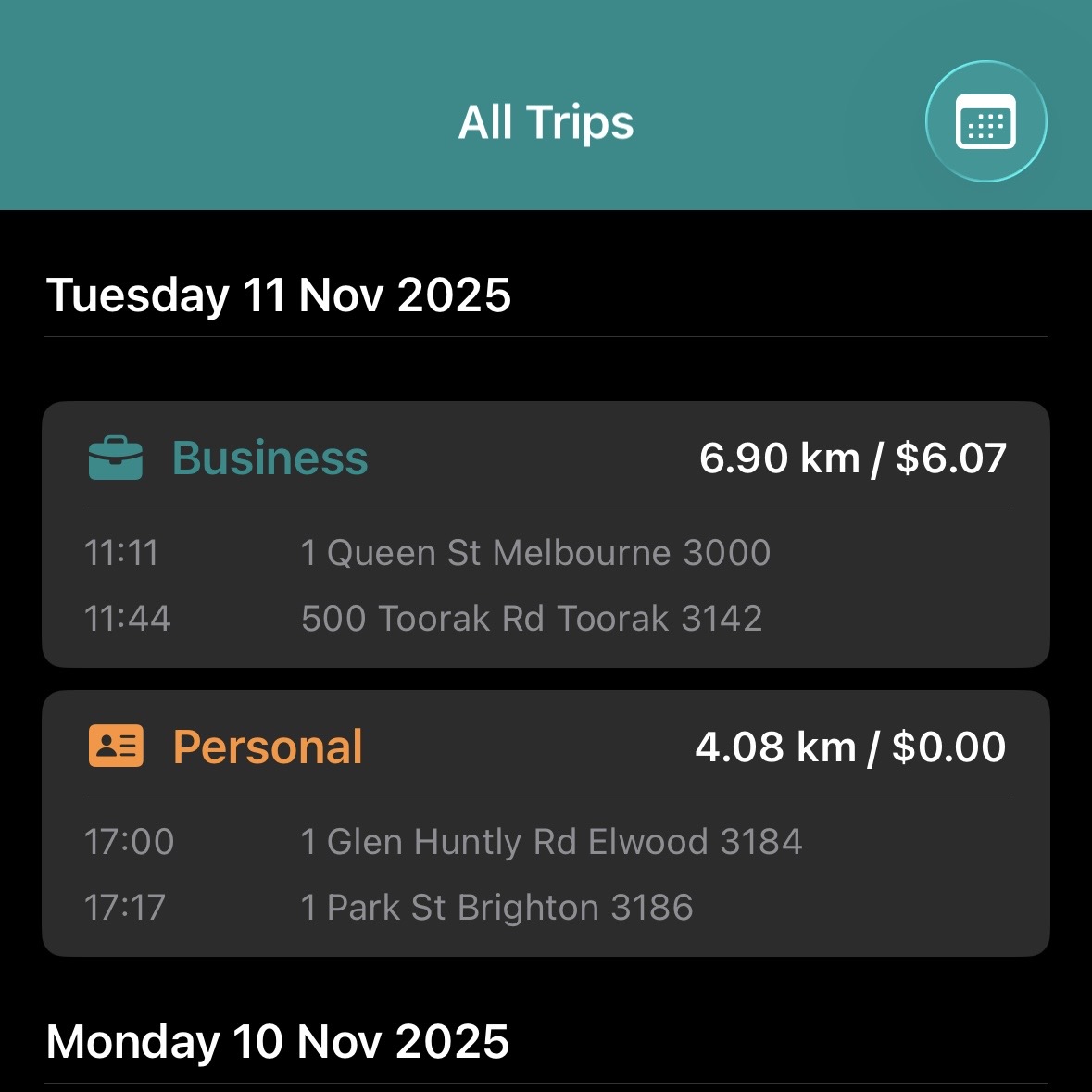
Classify trips easily with swipe gestures or long press. Auto-calculates percentages for quick reporting.
Quick Reports
Get fast summaries for this month, last month, or financial years. Shows kms, business vs personal %, and allowances.
ATO-ready Reports
Generates reports suitable for tax and audits. Auto-calculates business allowances and exports data in seconds.
Auto Cloud Backup
All trips are stored securely in the cloud. Ensures your data is safe and accessible without manual backup.
Privacy-First Design
Only your email is required. Data stays private, compliant, and secure with end-to-end encryption.
Frequently Asked Questions
Quick answers about iDrive's advanced tracking technology
Yes. iDrive automatically detects when you start and stop driving, so every trip is recorded without manual input. After finishing a trip, simply walking will automatically stop tracking. You can also manually stop a trip anytime by holding the stop button while tracking is in process.
Simply open iDrive and start driving. Tracking begins automatically, usually within seconds.
You can put the app in the background or lock your phone. For best results when running in the background, start driving within 2 minutes to make sure GPS working for auto tracking.
To confirm tracking is active:
- In the app: Look for "Auto tracking in process…"
- In the background: Look for a blue arrow in your iPhone's status bar
To stop tracking: Stop driving and exit your vehicle, or manually hold the stop button in the app.
Auto tracking relies on GPS signals to detect when you begin driving. If the GPS signal is too weak or unavailable, tracking may be delayed or fail to start automatically.
Common causes include:
- Starting in areas with poor GPS reception (underground parking, tunnels, dense urban areas)
- Having the app in the background for over 2 minutes before driving without sufficient GPS signal
- GPS permissions being restricted or disabled
- Device location services experiencing temporary issues
What to do if tracking fails:
- You can add a missing trip manually in the app for accurate reporting
- For best results, ensure iDrive has location permissions set to "Always"
- Try opening the app briefly before driving in areas with historically poor GPS reception
Delayed tracking typically resolves once a stable GPS signal is acquired, usually within a minute of starting your trip.
iDrive relies on GPS to detect when a trip ends. If the signal is weak or lost (for example, in parking garages, tunnels, or areas with poor reception), automatic stopping may fail. In these cases, manually stopping the trip may also not register immediately because the app cannot confirm your ending location. You can try stopping or correcting the trip later when the GPS signal is stronger.
You can manually add a missed trip at any time. iDrive ensures your records remain complete and accurate.
For privacy reasons, iDrive does not store any address search history. When a trip starts or ends, the app automatically detects your location and assigns the nearest address. This may sometimes differ slightly from the exact house number (for example, 28 instead of 30). iDrive prioritizes your privacy while still accurately tracking distances for allowances and compliance purposes.
Trips can be classified with simple swipe gestures or a long press. You can also set trips as “Always Business” or “Always Personal” for recurring trips. Smart rules allow trips during workdays to default to business and weekends to personal.
Yes. iDrive generates ATO-compliant reports that include trip type, business and travel kilometres, and reimbursement amounts calculated according to ATO allowance rules. Reports are available in both PDF and CSV formats, giving you the flexibility to use or share them as needed.
iDrive provides quick reports for this month, last month, this financial year, and last financial year.Detailed reports also allow you to select the specific period and customize the report according to your needs.
iDrive automatically backs up your trip data to the cloud to ensure it is never lost. The first backup occurs the first time you open the app, and subsequent backups happen automatically whenever you add, delete, or track a trip since the last backup. You don’t need to manually check or manage your cloud data — it is stored securely so that if your device is lost or reset, you can log in and restore all your trips seamlessly.
iDrive only requires your email address. No unnecessary personal data is collected.
Track. Report. Relax.
Lite starts free, Pro handles everything else.
Lite
Automatic Tracking Essentials
- Automatic trip detection
- Business vs personal classification
- Quick period summaries
- CSV/Excel/PDF reports
- Manual trip entry
- ATO compliance reports
- Auto cloud backup
Pro
Complete ATO Solution
- Everything in Lite, plus:
- Manual trip entry
- ATO compliance reports
- Auto cloud backup
- Priority email support
Pro
Flexible Monthly Access
- Same features as Yearly
- Manual trip entry
- ATO compliance reports
- Auto cloud backup
- Priority email support
- Cancel anytime
Start Your Free Trial on iPhone
Download iDrive to automate your ATO logbook in minutes
Download Directly to Your iPhone
Tap below to install iDrive from the App Store.
Using a Mac? Get iDrive on Your iPhone
iDrive is an iOS app. Here's how to install it on your iPhone:
Scan with iPhone Camera
Use your iPhone's camera to scan this QR code
Or Open on Paired iPhone
Click the link below - it may open on your paired iPhone via Handoff
Requires iPhone with same Apple ID
Get iDrive on Your iPhone
Scan this QR code with your iPhone camera to download
Detecting your device...